DocMate 2.0 is now available on the App Store for iPhone and iPad.

DOCMATE 2.0 / NOW ON THE APP STORE

One PDF. Many real-life stories.

Pick the document task that sounds familiar, explore a fictional five-minute workflow, and download DocMate 2.0 directly from the App Store.

Try fictional PDFs for your job ↗ · PDF Compare requires DocMate Pro.

No real contracts, employee files, financial statements, IDs or signatures are needed. Use the fictional packs or another privacy-safe test document.

Genuine DocMate 2.0 Compare artwork on iPad showing a fictional PDF revision.
Genuine V2 artwork · fictional document · no mock UI

CHOOSE THE STORY THAT SOUNDS FAMILIAR

Eight jobs. Eight reasons a PDF becomes work.

Each fictional scenario starts with a familiar handoff: a revised contract, a supplier quote, a lease, a work order, an offer letter, or a research PDF. Download DocMate 2.0 and decide if its workflow fits your next document task.

01

CONTRACT REVIEW

Legal & contracts

“I only changed one date.”

Would you sign without checking?

BEFORE

Open two PDFs, jump page to page, remember the change, then move to another app to sign.

Compare Review Sign Save

See the revision before the signature. Fewer manual page checks and fewer app handoffs.

YOUR 5-MINUTE MISSION

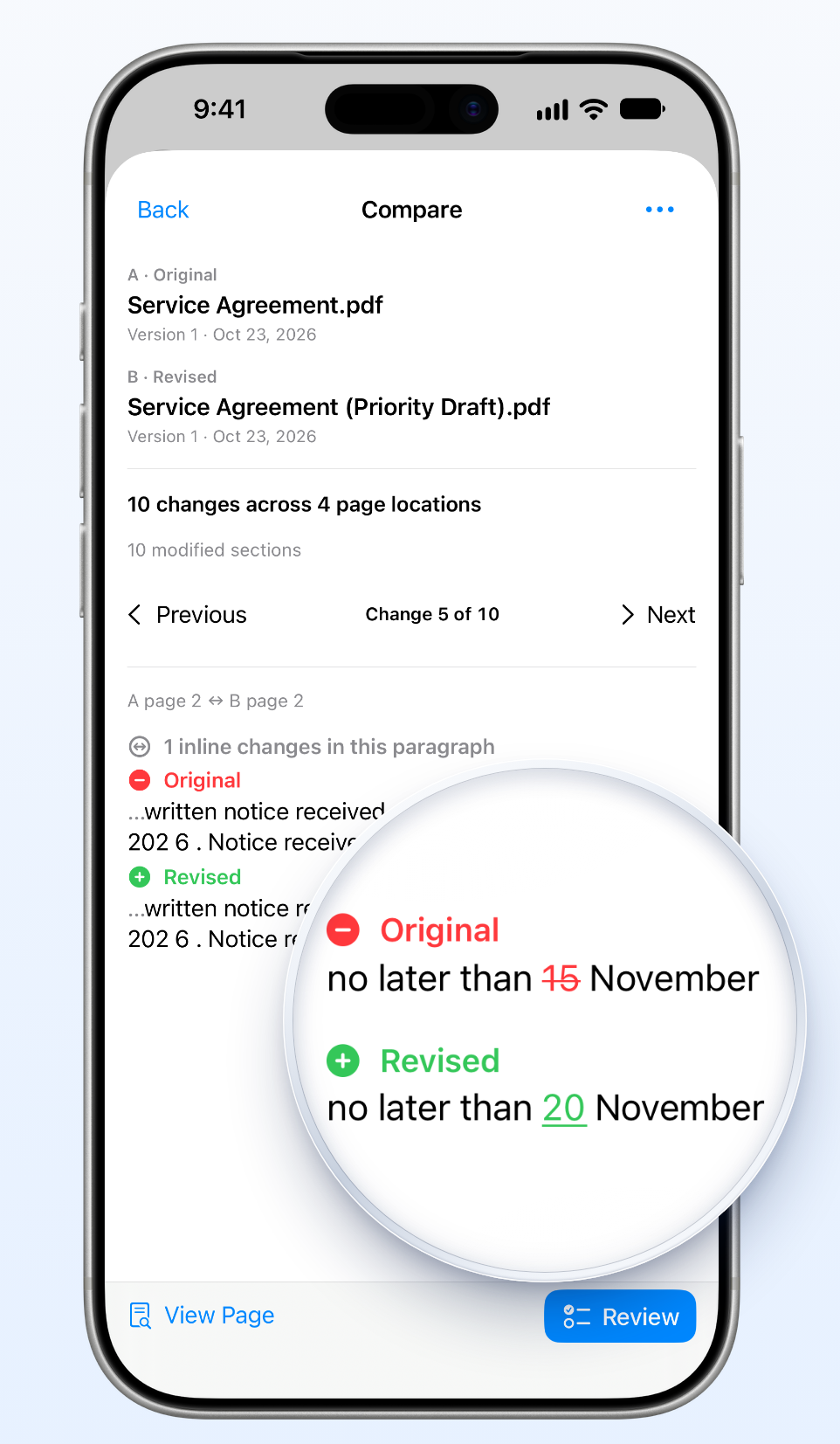
Compare a fictional service-agreement V1/V2 pair and find the changed delivery date before signing.

Download DocMate 2.0 Open the fictional test pack
ALSO FAMILIAR?
  • NDA arrives while you are away from your desk
  • Client sends “final-final” five minutes before approval
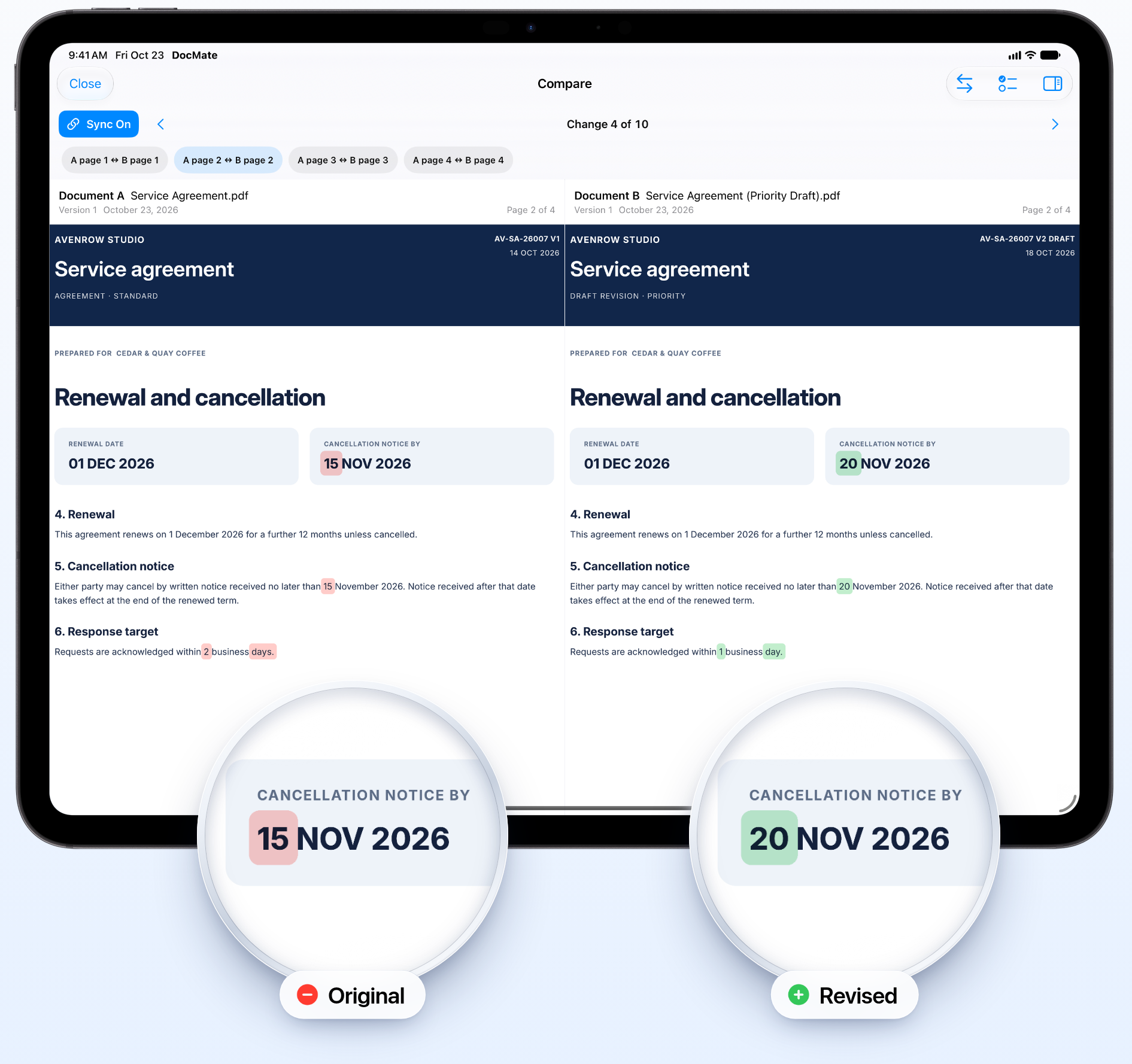
DocMate 2.0 comparing two fictional PDF revisions on iPad.
Genuine DocMate 2.0 promotional artwork · fictional content
02

REMOTE CLIENTS

Sales & remote client work

The client is in another city.

The contract still needs signing tonight.

BEFORE

Send the PDF, explain where to sign, wait for the return, download it again, check it, then find the original chat or email.

Review Sign Save Share back

Keep the deal moving from the phone without a face-to-face document handoff or print/scan loop.

YOUR 5-MINUTE MISSION

Use a privacy-safe contract, review it, add a demo signature, save, reopen and share the final copy.

Download DocMate 2.0 Open the fictional test pack
ALSO FAMILIAR?
  • Customer sends a last-minute revision
  • Returned PDF has the same filename — is it the same file?
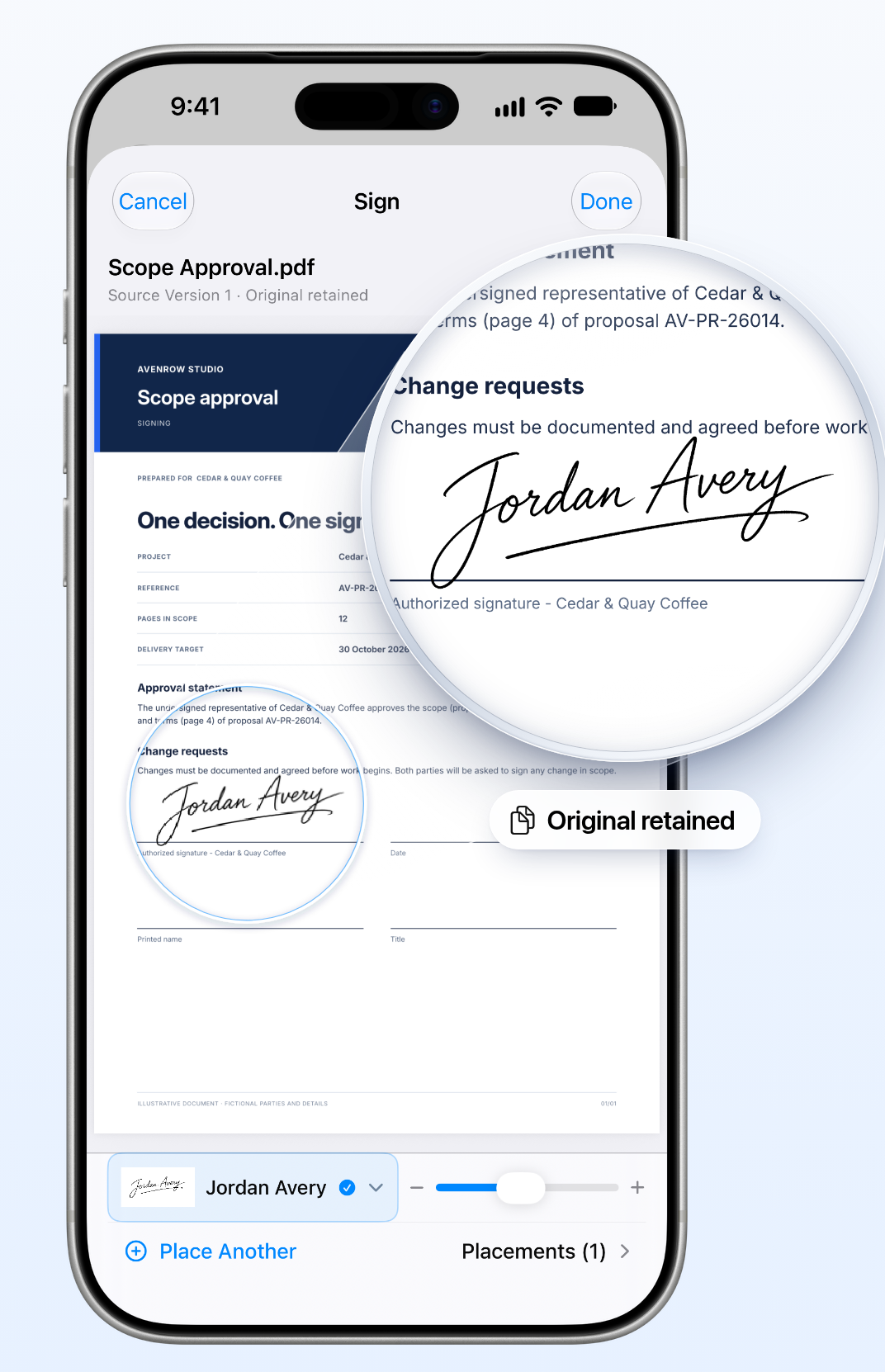
DocMate 2.0 signing workflow on iPhone.
Genuine DocMate 2.0 promotional artwork · fictional content
03

QUOTE CONTROL

Finance & procurement

Three supplier quotes. Nearly the same filename.

One total changed.

BEFORE

Open each quote separately, write down amounts and dates, switch between versions, then hope the approved copy is the right one.

Compare Review amount/date Approve Workspace

Replace manual note-taking and version hopping with one review flow.

YOUR 5-MINUTE MISSION

Compare the ready-made quote V1/V2 pair and find both the price and delivery-date changes.

Download DocMate 2.0 Open the fictional test pack
ALSO FAMILIAR?
  • Invoice lands in WhatsApp while you are away
  • Approval is waiting only because the PDF is on your laptop
DocMate 2.0 PDF comparison on iPad.
Genuine DocMate 2.0 promotional artwork · fictional content
04

REMOTE LEASING

Property & leasing

The tenant can sign tonight.

Do you really need to drive across town for one PDF?

BEFORE

Print or send the lease, explain the signing step, wait for a scan/photo, then rebuild and file the final copy.

Receive Review Sign Save / share

Avoid a physical meeting whose only purpose is moving one document.

YOUR 5-MINUTE MISSION

Compare the fictional lease V1/V2 pack, find the rent/date changes, add a demo signature and reopen the result.

Download DocMate 2.0 Open the fictional test pack
ALSO FAMILIAR?
  • Rent changed in the revised lease
  • Signed handover copy needs to go out before key handoff ends
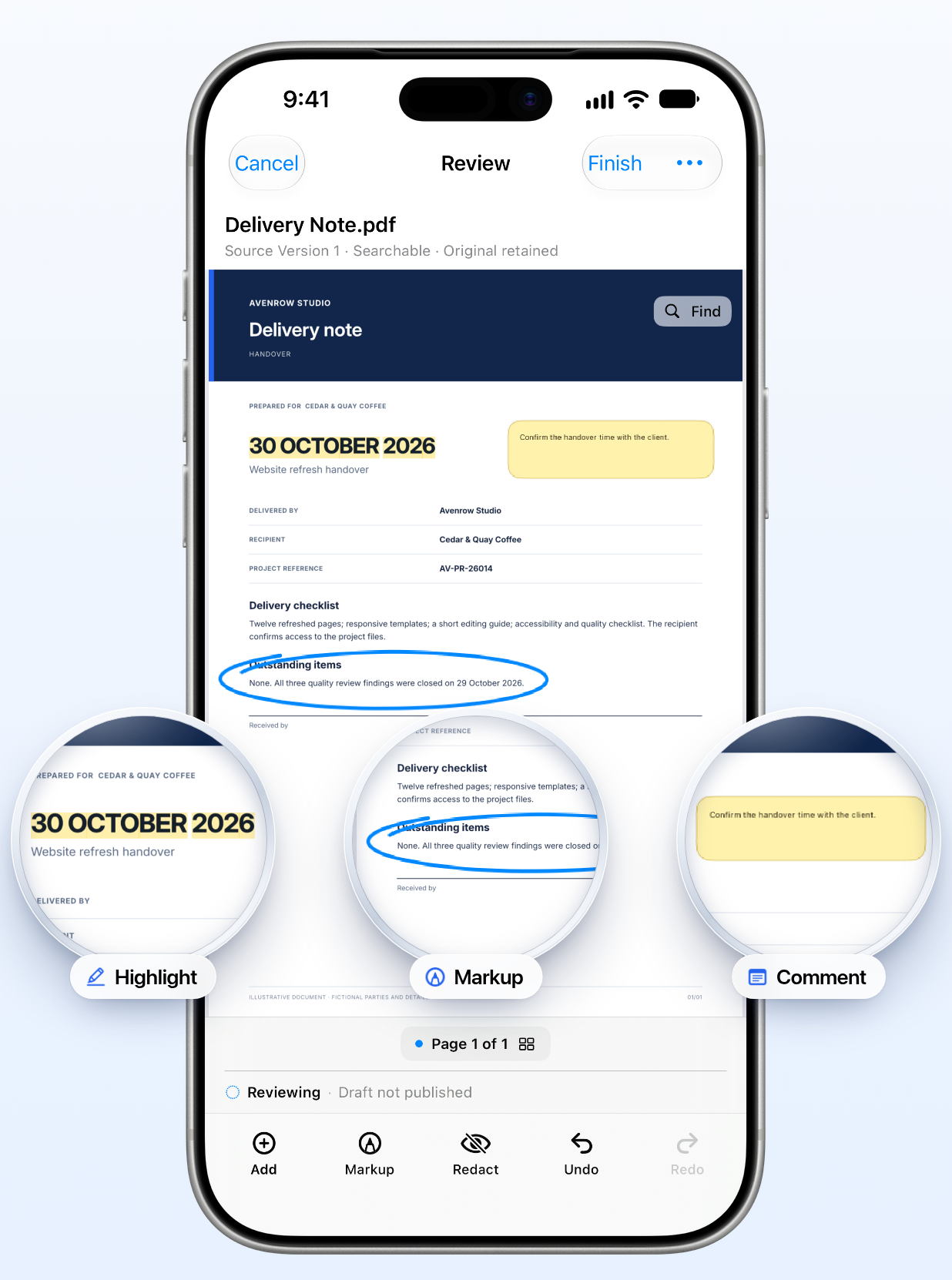
DocMate 2.0 Review workflow on iPhone.
Genuine DocMate 2.0 promotional artwork · fictional content
05

AFTER-HOURS ADMIN

Small business & independent work

A supplier sends a PDF at 9:40pm.

You just need it signed and back.

BEFORE

Download → Files → PDF app → sign → export → reopen WhatsApp or Mail → attach the result.

Open Review Sign Send back

Turn a simple document job into one workflow instead of a chain of app switches.

YOUR 5-MINUTE MISSION

Open a privacy-safe PDF from Files or another app, sign it, save it and share it back.

Download DocMate 2.0 Open the fictional test pack
ALSO FAMILIAR?
  • SOW_v5_FINAL_final.pdf arrives from a client
  • Five client documents are buried across five chat histories
DocMate 2.0 signature placed on a fictional PDF on iPhone.
Genuine DocMate 2.0 promotional artwork · fictional content
06

ON-SITE CLOSEOUT

Field service & handover

The job is finished. The customer is still there.

They want the signed handover copy before you leave.

BEFORE

Paper form, photo/scan, another signing app, export, then email it later from the office.

Review work order Customer signs Save / reopen Share

Finish the paperwork while the job is still finished — not later at a desk.

YOUR 5-MINUTE MISSION

Use the ready-made two-page work order. Hand the phone over for a demo signature, save/reopen in Airplane Mode, reconnect and share.

Download DocMate 2.0 Open the fictional test pack
ALSO FAMILIAR?
  • Work order changes after the crew already has V1
  • Signed site PDFs need organizing before the day ends
DocMate 2.0 Review workflow on iPhone.
Genuine DocMate 2.0 promotional artwork · fictional content
07

CORRECT REVISION

HR & people operations

The offer letter was approved.

Then the start date changed.

BEFORE

Open old and new offers, manually inspect salary/date fields, resend, then hope the candidate signs the intended revision.

Compare Review changed field Sign File

Make the revision visible before an employment document leaves HR.

YOUR 5-MINUTE MISSION

Compare the fictional Offer Letter V1/V2 pair and find the changed start date before signing.

Download DocMate 2.0 Open the fictional test pack
ALSO FAMILIAR?
  • Remote employee needs onboarding forms signed today
  • Final policy PDF is buried in an old email thread
DocMate 2.0 comparing PDF revisions on iPhone.
Genuine DocMate 2.0 promotional artwork · fictional content
08

PDF OVERLOAD

Students & research

“I know the answer is in that 200-page PDF.”

You just cannot find the right copy again.

BEFORE

Search Mail, Files and Downloads, reopen several copies, then discover a newer revision exists.

Workspace Reopen Compare revision Review

Spend less time hunting for the document and more time using the right version.

YOUR 5-MINUTE MISSION

Compare the fictional Assignment Brief V1/V2 pack and find the changed deadline plus the new appendix requirement.

Download DocMate 2.0 Open the fictional test pack
ALSO FAMILIAR?
  • Lecturer sends version 2 after you saved version 1
  • University form needs signing while you are off campus
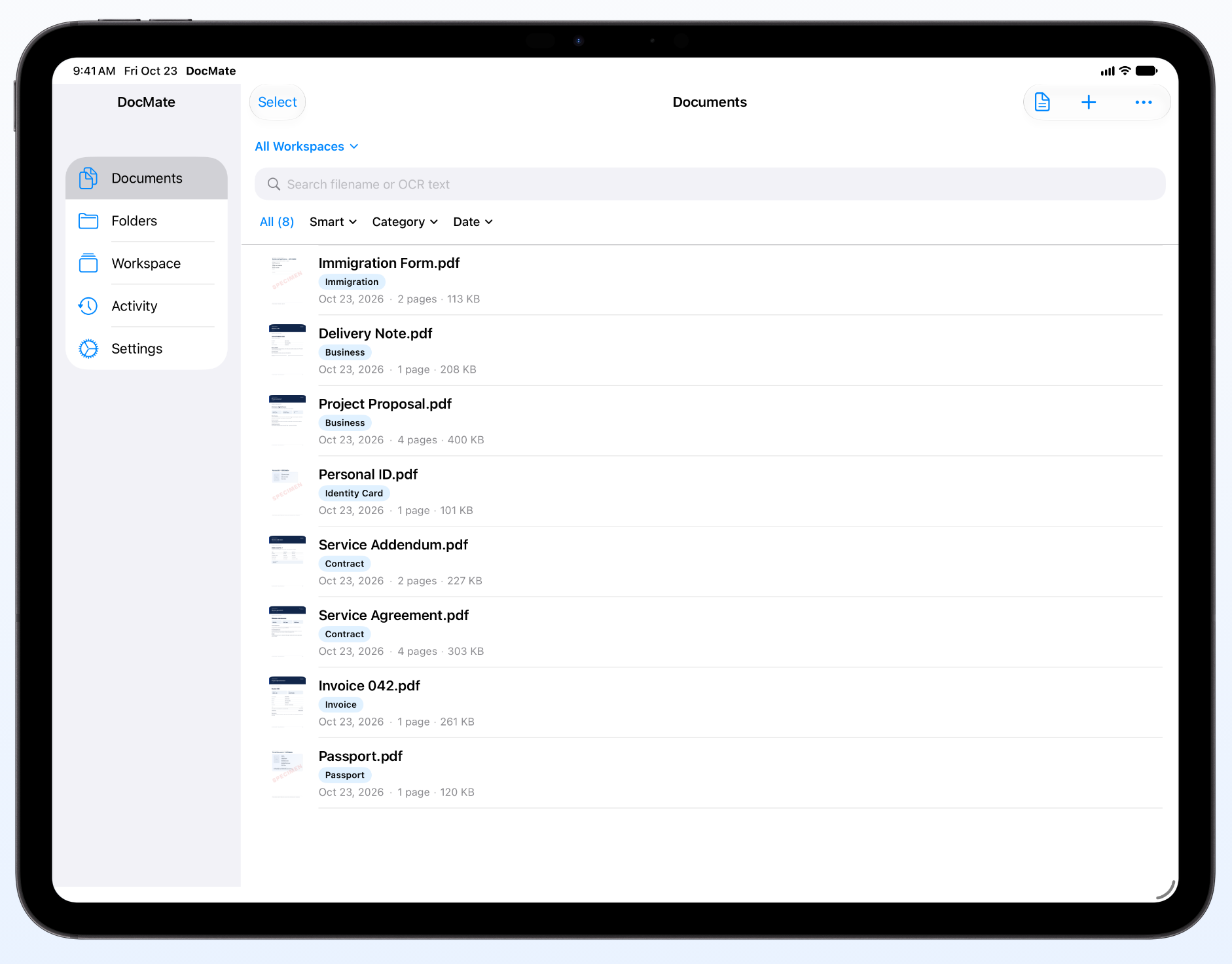
DocMate 2.0 Workspace on iPad.
Genuine DocMate 2.0 promotional artwork · fictional content

THE FEEDBACK WE ACTUALLY WANT

Tell us where you still switch apps.

“Looks good” is less useful than one precise reason you would go back to your existing workflow.

  1. Did Compare make the change obvious?Or did you still check the PDFs manually?
  2. Where did you leave DocMate?Which step still needed another app?
  3. Would you keep it installed?Would you reach for it next time this exact problem happens?
  4. What felt slow or confusing?Share a privacy-safe screenshot if helpful, never private client content.

Availability and feature notes. DocMate 2.0 is publicly available on the App Store. All stories are fictional and are not customer testimonials. Product artwork shows fictional test files. PDF Compare and certain advanced tools require DocMate Pro. A visible handwritten signature is not a certificate-backed digital signature. OCR and document analysis should be checked against their source files; results vary by document.